Preventive and corrective maintenance
Intervene faster with the right data.
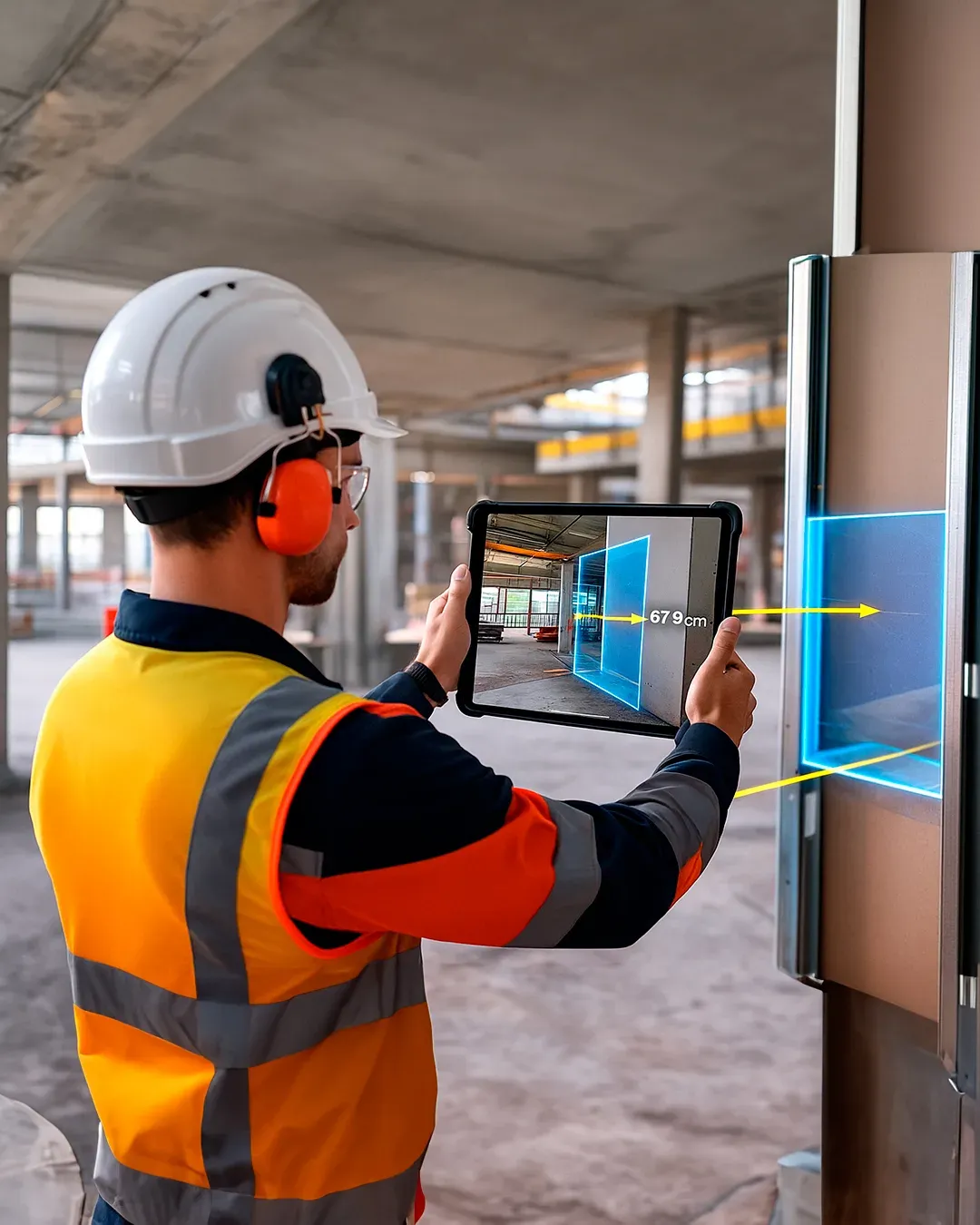
With the NEXT-BIM Augmented Reality solution, overlay the 3D model onto reality. Instantly locate your equipment, access its technical data and follow a guided route.
See through walls
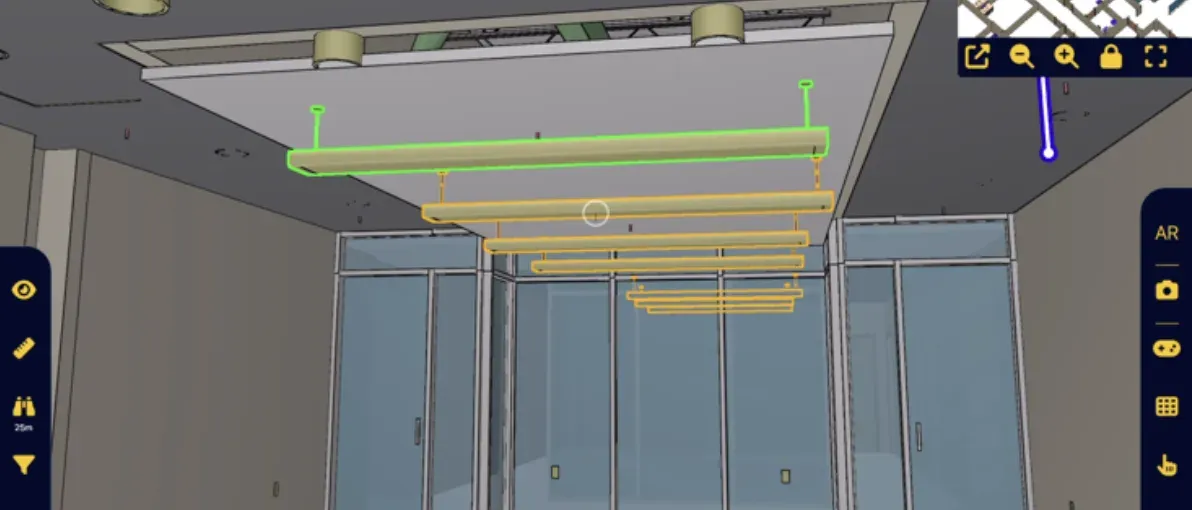
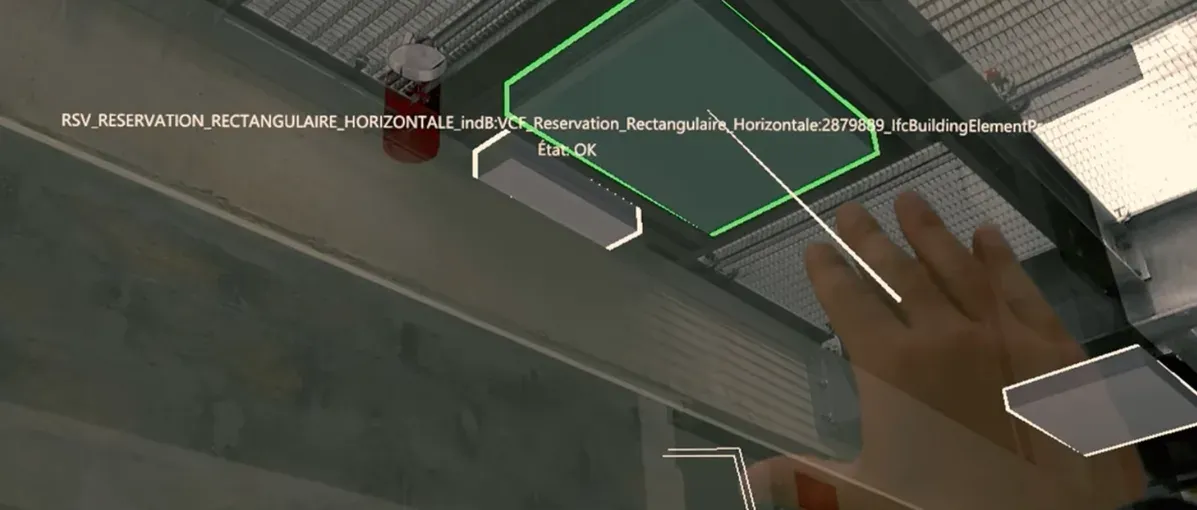
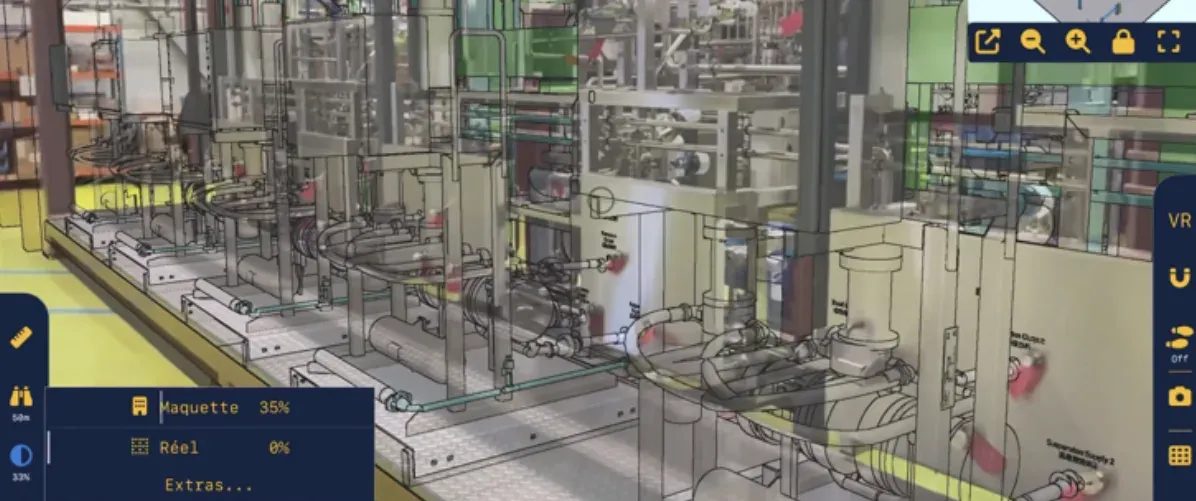
Thanks to the overlay of the BIM model onto reality, instantly locate your equipment and networks to be maintained through walls, floors and ceilings. Technical incident investigations are greatly facilitated.
Data centralization
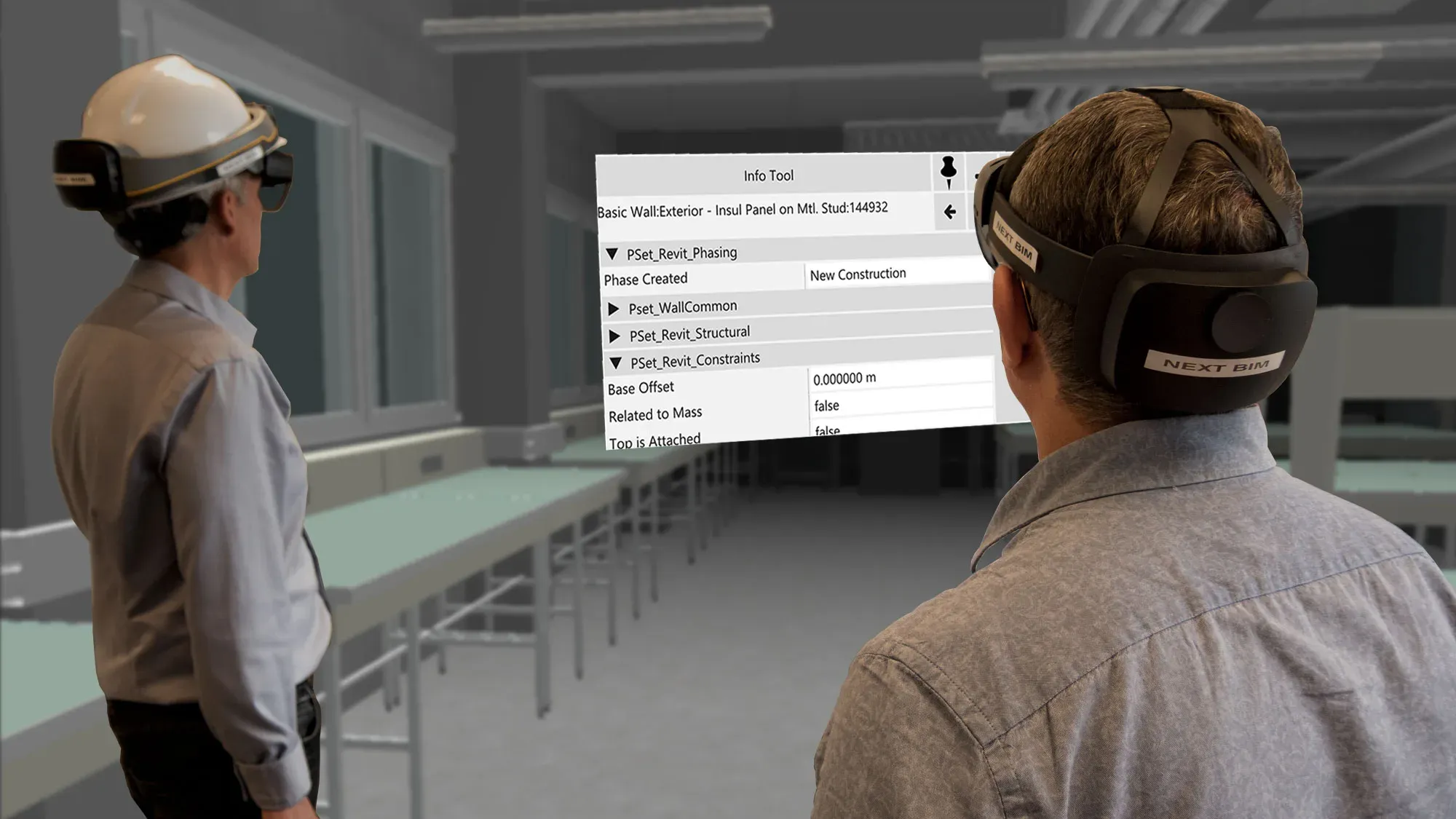
Technical data, maintenance history and status are centralized and accessible directly from the field in Augmented Reality. NEXT-BIM becomes the connected mobility solution for maintenance.
Contextual information
Procedures, scenarios and instructions appear directly on the relevant equipment within its real environment. Technicians immediately understand what to do, where to intervene and in which order.
Knowledge capitalization
Same information, same efficiency. Equipment is instantly located, identified and documented in Augmented Reality. Even without prior knowledge of the site, technicians know where to intervene and how to act.
Why use Augmented Reality for maintenance?
In maintenance, difficulties are recurring: locating equipment, accessing the correct technical information and ensuring intervention traceability. On large or complex sites, and in the event of team changes, maintenance still too often relies on individual knowledge, generating time loss, errors and incomplete interventions.
With NEXT-BIM, Augmented Reality becomes a true maintenance assistant. On site, the technician visualizes equipment — including those hidden behind walls or ceilings — and accesses contextualized BIM data directly. Intervention reports are generated in one click and can be synchronized with your facility management system, ensuring complete traceability of operations.
Faster, more reliable and fully traceable interventions, supporting operational continuity.
Design phase

On site

Maintenance phase
Visualization of networks through walls
Access to technical data
Guided maintenance rounds

How does it work?
Workflow of a maintenance intervention with NEXT-BIM
NEXT-BIM enables smooth maintenance interventions in Augmented Reality, without complex preparation. Here are the key steps of the process:
Step 1 – Overlay the 3D model onto reality
NEXT-BIM technology automatically aligns the 3D model with the real environment, without markers or manual calibration. Alignment is continuous. The overlay remains reliable and precise throughout the visit, even while moving on site.
Step 2 – Locate equipment
Equipment and networks are visualized directly on site, including those hidden behind walls, floors and ceilings. The technician is guided in Augmented Reality to the intervention zone.
Step 3 – Understand the environment
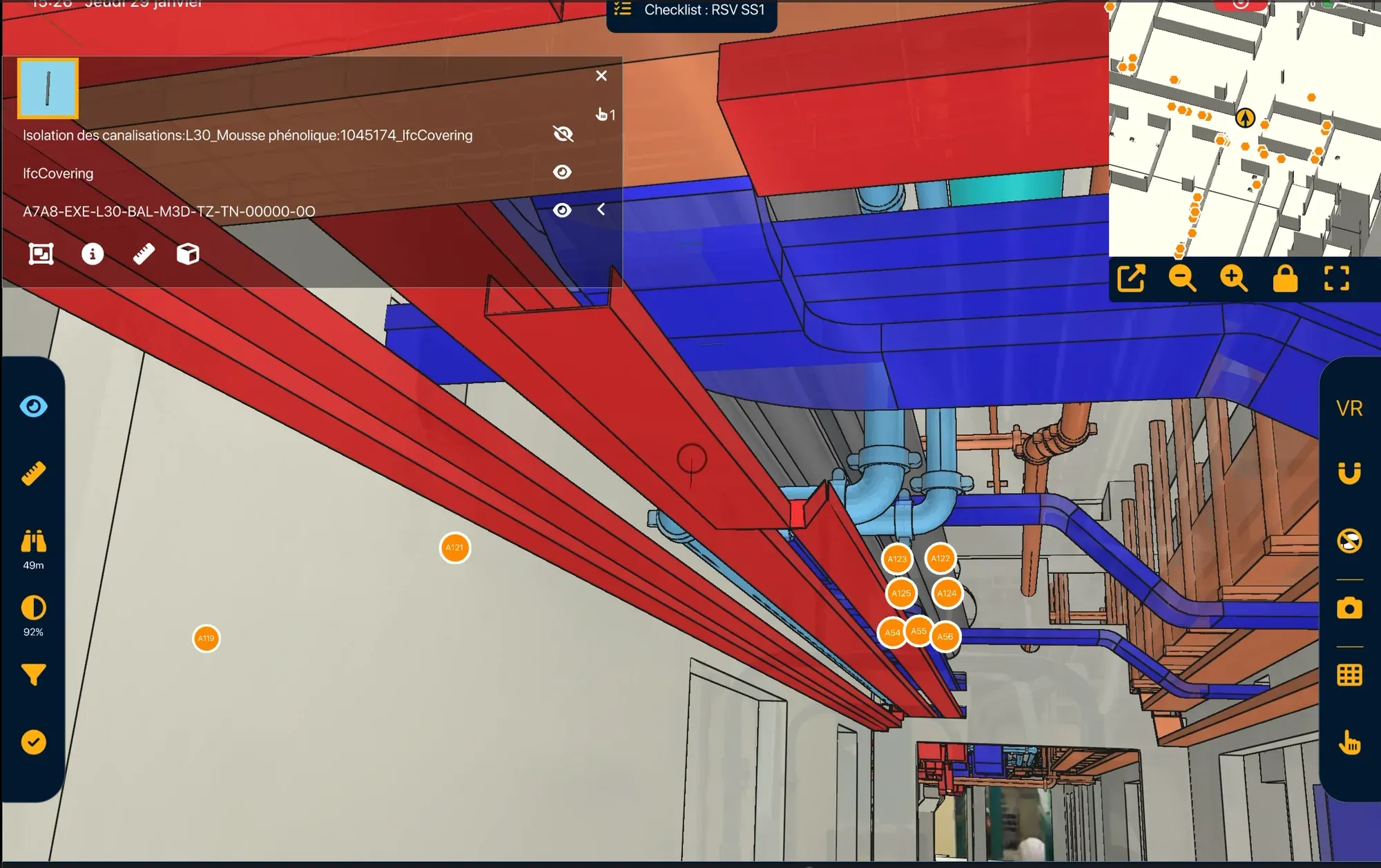
The technician immediately understands the equipment environment, its location and its connections.
Step 4 – Access information & instructions
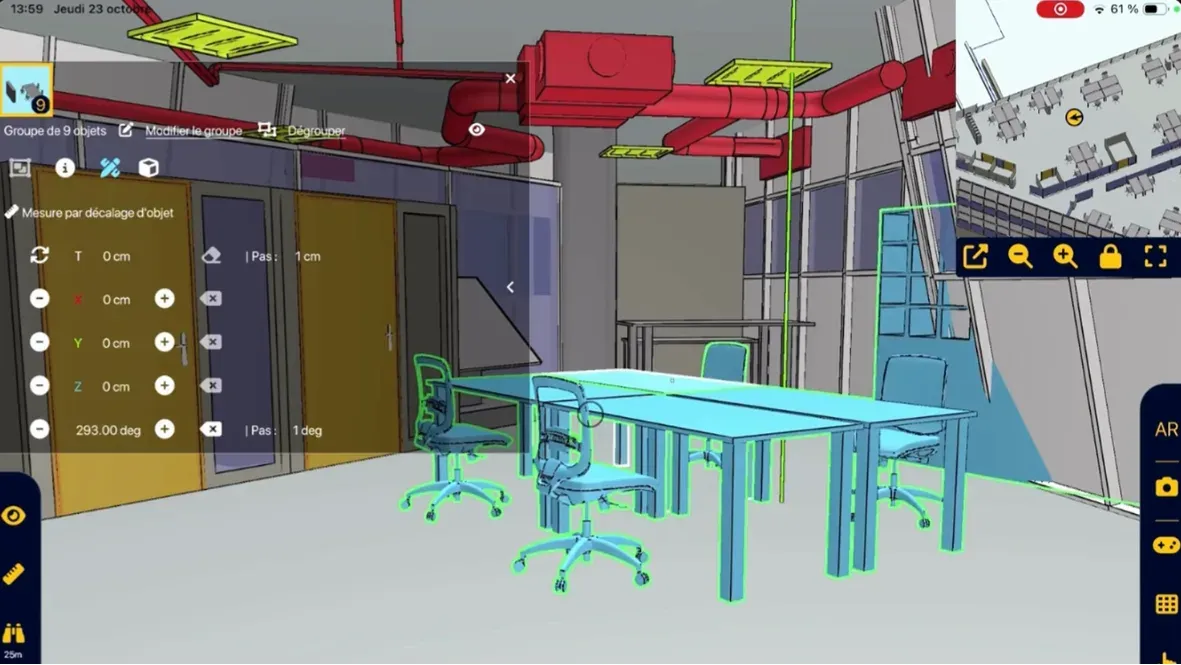
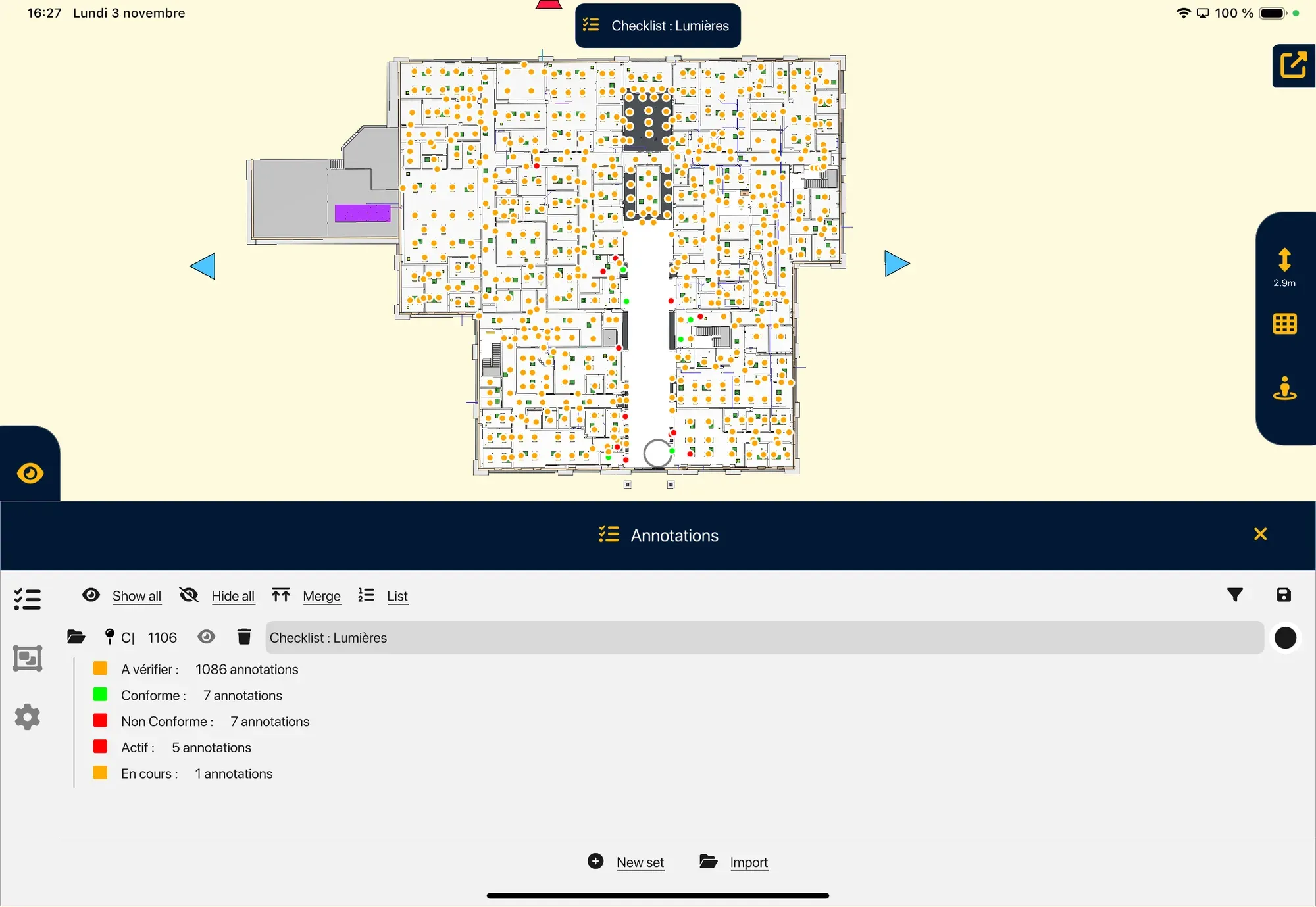
Technical data, maintenance history and intervention scenarios are displayed in Augmented Reality, at the right location. Observations are documented with photos, comments and statuses directly linked to the relevant objects.
Step 5 – Generate the intervention report
The maintenance intervention containing all data is automatically exportable. The intervention report is ready to be integrated into your facility management tools.
Reliable technology, compatible with your tools
- Unique alignment technology
- Supported formats: IFC, NWD
- Devices: iPad Pro, HoloLens 2
- Offline mode
- openBIM compatible
- No data stored in the cloud
Tools designed for maintenance stakeholders
Designed for maintenance technicians, NEXT-BIM features bring together in a single interface all the tools required for fast, reliable and documented interventions.
I was looking for an augmented reality solution for a research project that could integrate with our building digital twin, whose BIM model was available in IFC format. NEXT-BIM is by far the ideal solution, particularly due to its native IFC support and its ultra-precise automatic alignment algorithm, whether in tertiary or industrial environments. The presentation of results amazed my colleagues and helped restart industrial projects around augmented reality that had been on hold for several years.
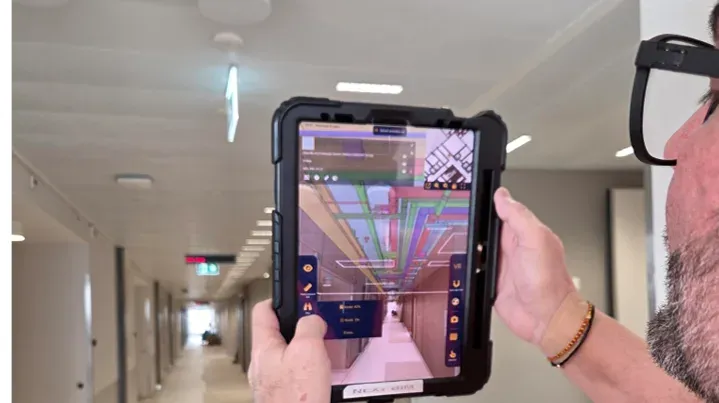
Kantonsspital Aarau: How Digital Continuity Connects Construction, As-Built BIM and Maintenance
At Kantonsspital Aarau, general contractor Implenia used NEXT-BIM for construction monitoring and as-built verification in augmented reality. Through its connection with the LIBAL common data environment, the BIM model is now also available to maintenance teams during hospital operation.
FAQ
Can multiple checklists be used?
Yes, by zone, equipment or frequency (weekly, monthly, yearly).
What about real-time IoT data?
Integration with your BMS can be implemented to display live data.